%20(1).png?width=325&height=82&name=Logo%20Endorphine%20(1)%20(1).png)
Step 1: Access lodgings
- From the left-hand menu, click Configuration.
- Select Lodging.
Step 2: Access the sectors tab
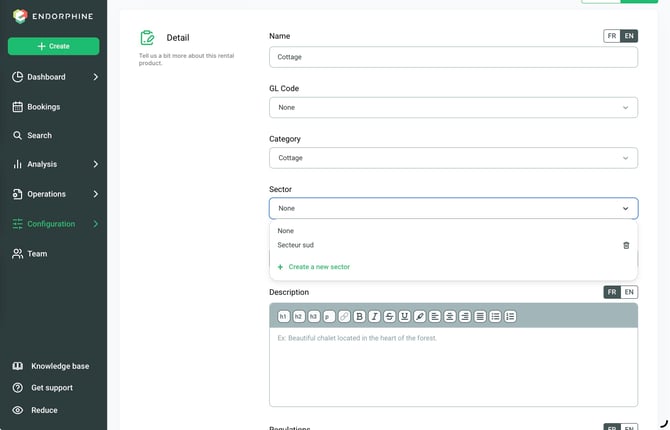
- Select the lodging to which you want to add a sector, or click Create lodging to create a new lodging.
- Click the fourth tab, Sectors.
- Click Create new sector.
Step 3: Create the sector
- Enter the name of the new sector.
- Click Create.
Step 4: Assign the sector to the lodging
In the Sectors tab, select the sector you want to assign to the lodging.
Step 5: Save your changes
Click Save at the bottom of the page to save your changes.
The lodging is now associated with the selected sector.