%20(1).png?width=325&height=82&name=Logo%20Endorphine%20(1)%20(1).png)
Step 1: Access lodging
- From the left-hand menu, click Configuration.
- Select Lodging
Step 2: Configure additional guest pricing
- Select the lodging you want to modify.
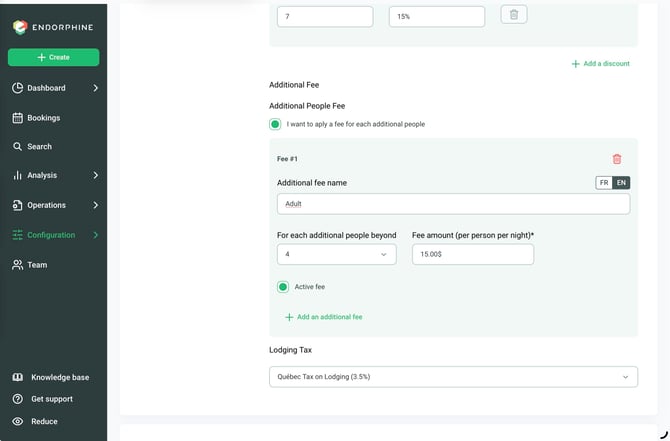
- In the Pricing section, enter the number of guests included in the base rate.
- Specify the number of additional guests who will incur extra charges.
- Enter the additional charge per guest, per night, based on the applicable category (Adult or Child).
Step 3: Save your changes
Click Save at the bottom of the page to save your changes.
The additional guest pricing is now configured for the selected accommodation.