%20(1).png?width=325&height=82&name=Logo%20Endorphine%20(1)%20(1).png)
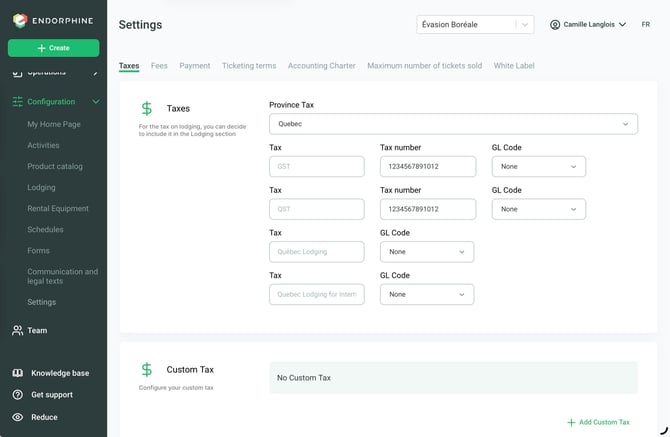
1. Tax configuration
This section allows you to configure the taxes that apply to your transactions on the Endorphine platform.
Provincial tax selection
Select your province (e.g., Quebec) to apply the appropriate taxes.
Tax numbers
Enter your tax registration numbers.
GL codes
If needed, add specific GL codes for each tax, including accommodation taxes.
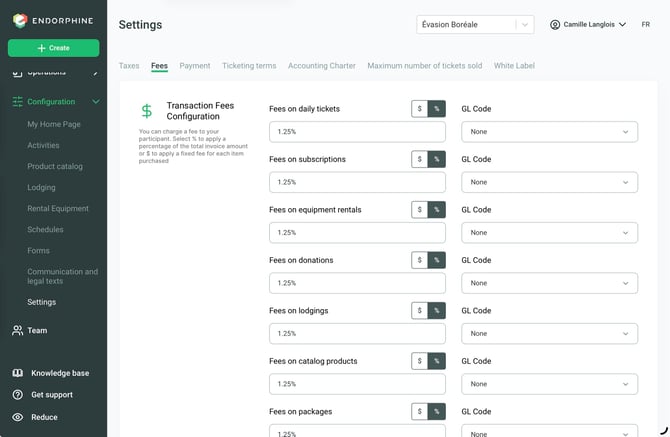
2. Fees
Configure the transaction fees applicable to the different modules in Endorphine.
Applicable modules
- Day Passes
- Season Passes
- Equipment Rentals
- Donations
- Lodging
- Product Catalog
- Packages
Fee type
Choose one of the following options:
- Apply a percentage (%) of the total invoice amount.
- Apply a fixed amount ($) per item purchased.
GL codes
If needed, add specific GL codes for each module.
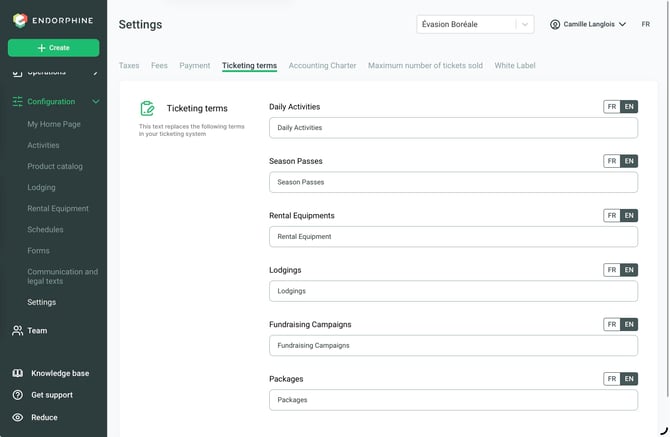
3. Ticketing terms
You can customize the terminology used for the main buttons on the platform. Modify the labels for the following elements:
- Daily activities
- Season Passes
- Equipment Rentals
- Lodging
- Fundraising Campaigns
- Packages
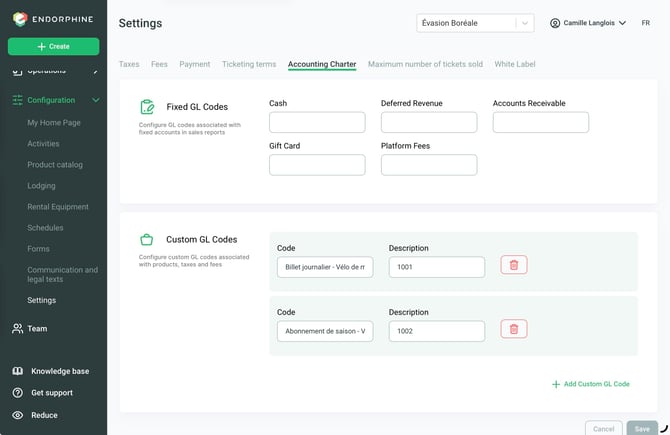
4. Chart of accounts
Configure your chart of accounts to structure your financial reports in Endorphine.
Fixed GL codes
- Cash
- Deferred Revenue
- Accounts Receivable
- Gift Cards
- Endorphine Fees
Custom GL codes
Add your own GL codes.
Enter the code and its description.
Click Save to confirm your additions.
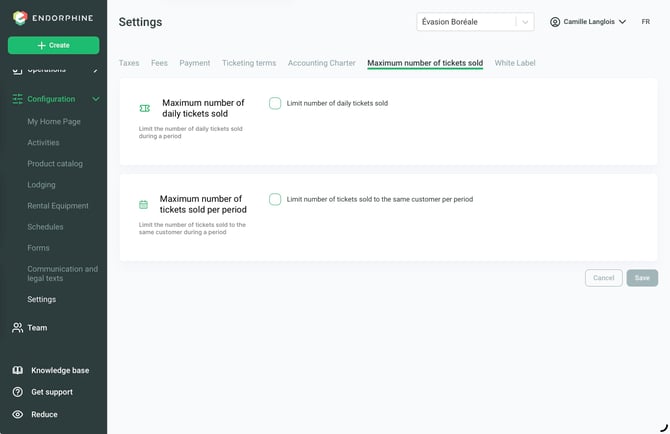
5. Limit the number of day passes
This feature allows you to limit the total number of tickets sold across all activities during a specific period.
For example, if you offer several activities simultaneously but your site has a maximum capacity of 1,000 people during a given period, this feature allows you to enforce that limit by counting all reservations, regardless of the activity selected by the customer.
Each activity can also maintain its own maximum capacity in addition to this overall limit.
This option is particularly useful for venues that host events and want to limit the total number of tickets sold.
6. Whitelabel
By enabling Whitelabel, your ticketing platform and communications will no longer display Endorphine’s colors or logo.
For more information about this feature, please contact support@endorphine.ca.