%20(1).png?width=325&height=82&name=Logo%20Endorphine%20(1)%20(1).png)
Steps
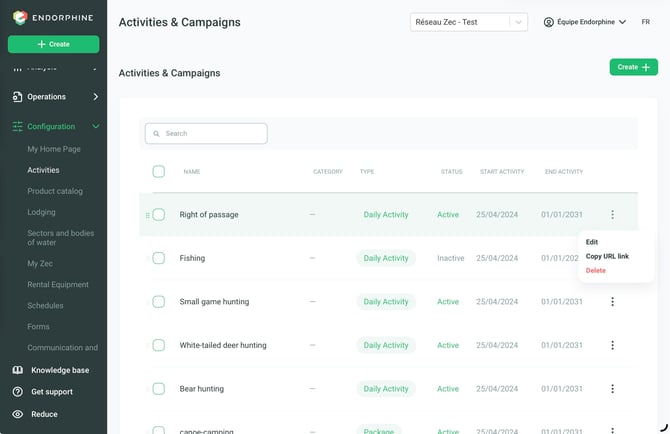
- From the left-hand menu, click Activities.
- Select the relevant activity type (Daily Activity or Subscriptions and Packages).
- Click the three vertical dots (⋮) next to the activity type, then click Edit.
- In the Configuration section, check Registration Required if the activity requires mandatory registration.
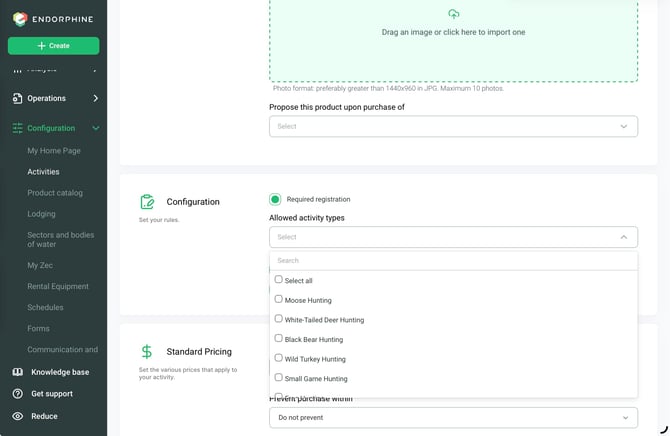
- Click Selected Activity Types.
- Select the activity that requires check-in and check-out registration.
- Click Save at the bottom of the page to save your changes.