%20(1).png?width=325&height=82&name=Logo%20Endorphine%20(1)%20(1).png)
Step 1: Select partial payment
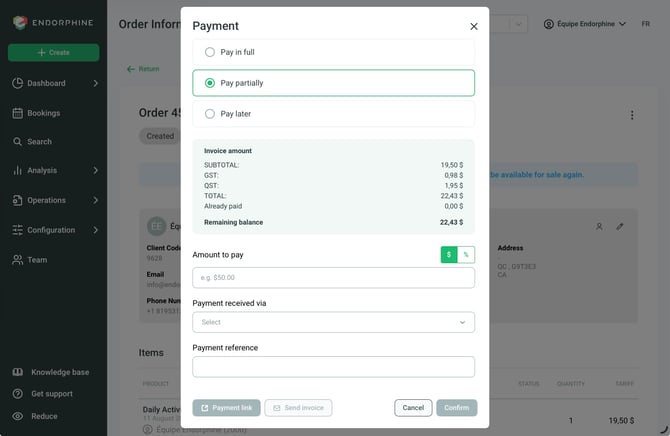
When creating an order or quote, go to the payment step.
Select the Pay partially option.
Step 2: Enter the deposit amount
Enter the amount or percentage to be paid immediately.
Select the payment method in the Payment received by field.
Step 3: Add a reference
In the designated field, add a reference for the payment (for example: Deposit).
Step 4: Confirm the payment
Click Confirm to record the deposit.
The deposit is now recorded on the order or quote.