%20(1).png?width=325&height=82&name=Logo%20Endorphine%20(1)%20(1).png)
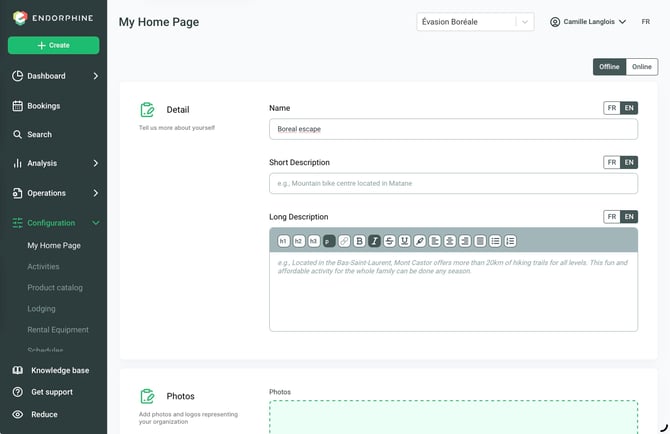
From the left-hand menu, click Configuration, then select My homepage.
Name and short description
Purpose: Create a clear, professional, and engaging first impression for your visitors.
Complete the following:
- Your business name (e.g., Gaspésie Outdoor Adventures).
- A short description that highlights your overall offering.
Example:
“Discover our outdoor activities, equipment rentals, and unique lodging options.”
Long description
Purpose: Provide a complete overview of what your business offers.
Complete the following:
- A brief description of your mission.
- A clear summary of your main activities and services.
Example:
“We offer unforgettable outdoor experiences. Whether you’re looking for kayaking adventures, guided hikes, or stays in our cozy cabins, we have everything you need to create lasting memories.”
Photos and logo
Purpose: Showcase your services visually to capture visitors’ attention.
Complete the following:
- Upload 1 to 5 photos (recommended size: 1440 × 960 pixels).
Choose photos that are:
- Professional and high quality.
- Representative of your:
- Activities
- Equipment
- Lodging
Upload multiple images to showcase different perspectives and experiences.
Also upload your logo, preferably:
- On a white or dark background.
- In SVG or PNG format.
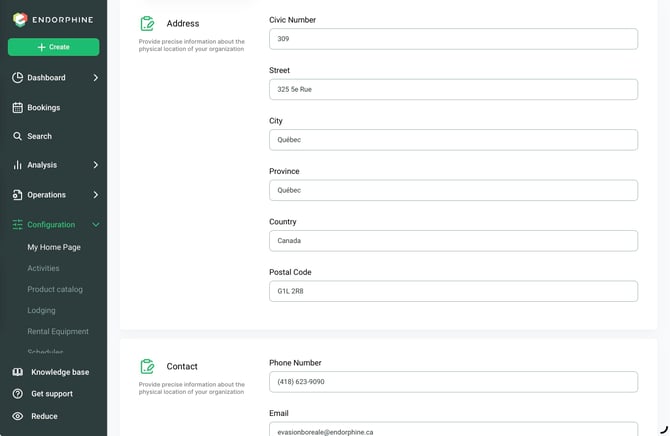
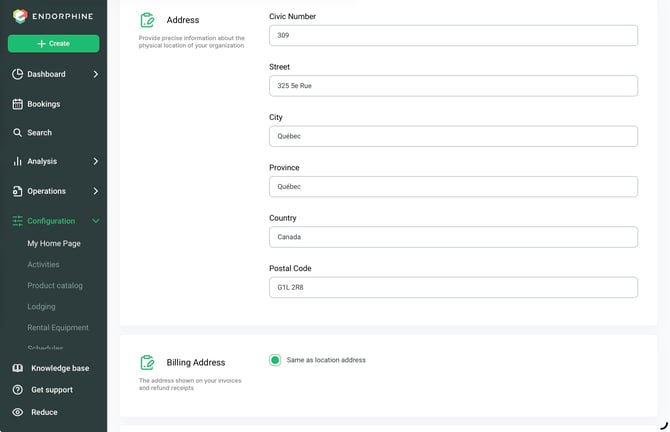
Address
Purpose: Clearly indicate where customers can enjoy your services.
Complete the following:
- Your full address (including city and state/province).
Example:
“123 Adventurer Road, Gaspé, QC”
- A general phone number for inquiries and reservations.
- A general email address for customer inquiries (e.g., info@[yourcompany].com).
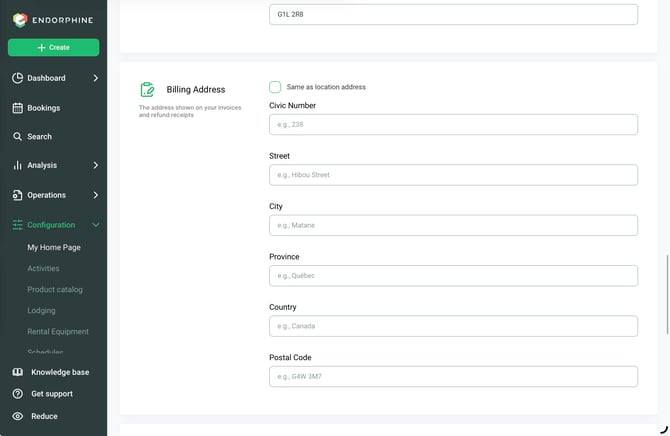
Billing Address
The billing address is the address that will appear on your invoices and refund receipts.
You can choose one of the following options:
- Same as location address: Check this option if your billing address is the same as your location address.
- Different billing address: Uncheck this option, then enter the billing address you want to use.
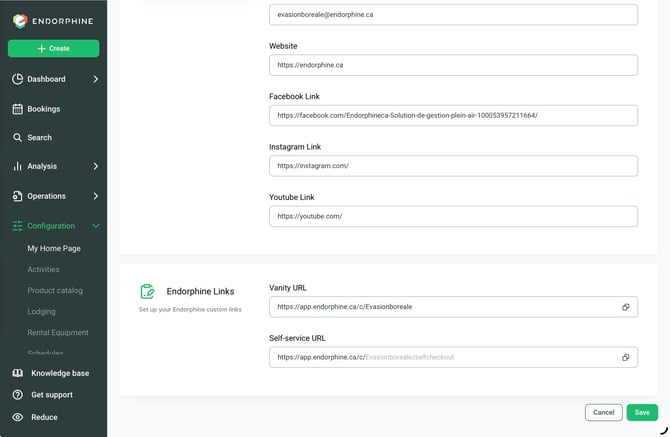
Contact information
Purpose: Allow customers to contact you directly and access your online communication channels.
Complete the following:
- Phone number
- Email address
- Website
- Facebook link
- Instagram link
- YouTube link
URLs
Purpose: Direct customers to the appropriate online services associated with your Endorphine account.
Complete the following:
- Custom URL
- Directs customers to your personalized Endorphine platform.
- Self-service URL
- Allows customers to access Endorphine self-service on supported devices.
Save your changes
Click Save to save your changes.