%20(1).png?width=325&height=82&name=Logo%20Endorphine%20(1)%20(1).png)
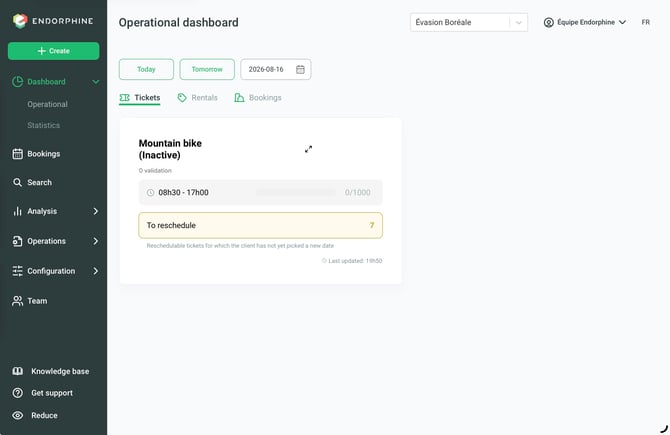
You can easily view today’s operations, tomorrow’s operations, or select a specific date with one click.
Daily Tickets
- View active tickets for the current day.
- View validations completed through the Endorphine Mobile Validator.
- Manually add a validation using the three vertical dots menu.
- Remove a validation by clicking the minus (➖) icon.
Equipment Rentals
View reserved equipment organized by subcategory and time slot.
Click the small arrow to view the reserved sizes.
Click on a reservation to access rental details, including:
- Product
- Purchase date
- Activation date and rental duration
- Customer’s first and last name
- Number of validations
Accommodations – Operational Status Tracking
The accommodation section is divided into three key statuses:
Arrivals
View upcoming reservations by accommodation category.
Click on a category to access details such as:
- Reserved accommodation
- Purchase date
- Check-in and check-out dates
- Status, which can be modified using a dropdown menu:
- Awaiting arrival
- Checked in
- Checked out
- Customer’s first and last name
- Option to indicate a late arrival (Yes / No)
Currently staying
Get a quick overview of customers currently on site.
Available information includes:
- Accommodation
- Purchase date
- Check-in and check-out dates
- Current status:
- Awaiting arrival
- Checked in
- Checked out
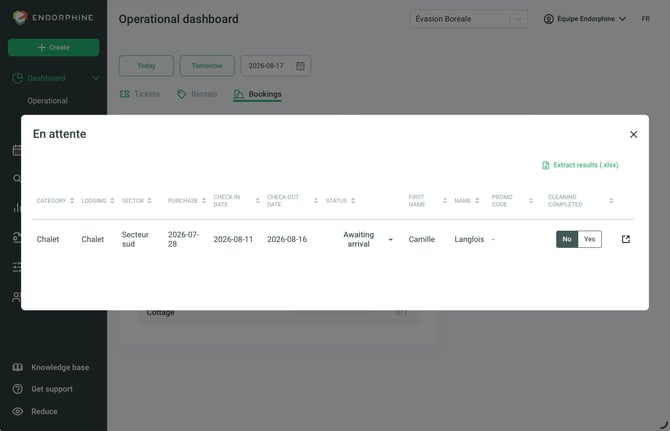
Departures
View reservations with a check-out date scheduled for today.
Reservations can be viewed by accommodation category.
Click on a category to access details such as:
- Reserved accommodation
- Purchase date
- Check-in and check-out dates
- Status:
- Awaiting arrival
- Checked in
- Checked out
- Customer’s first and last name
- Option to indicate whether cleaning has been completed (Yes / No)
Data Export
All sections allow you to export results as an Excel file for more detailed analysis or tracking.
Activity Rescheduling
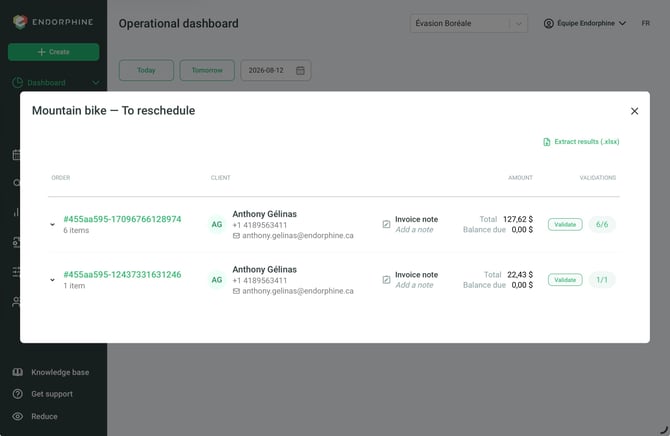
In the event of an activity rescheduling, such as a cancellation due to weather or another situation, you can view ongoing rescheduling requests and activity changes directly from the operational dashboard.
An email is automatically sent to the affected customers informing them that they need to select a new date for their activity.
You can then track the rescheduling requests that have been completed as well as those that are still pending.